

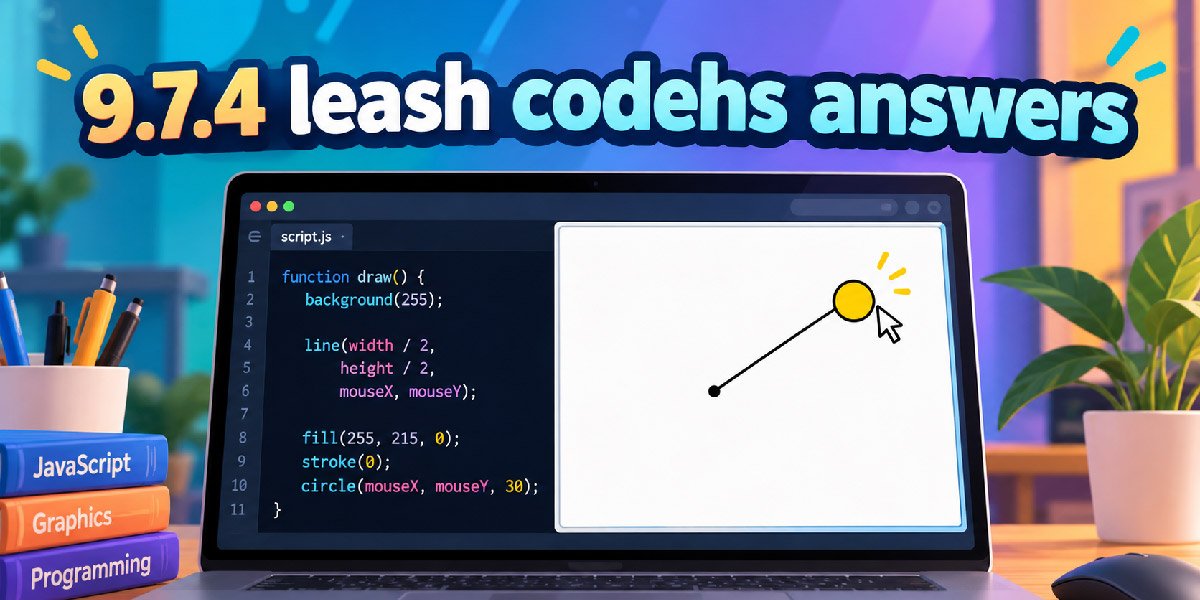
Students searching for 9.7.4 leash codehs answers usually want working code, but the exercise becomes much easier when the graphics logic is clear. This guide explains the solution, mouse events, object positions, common mistakes, debugging steps, and useful programming lessons.
The Leash task uses a circle as the moving ball and a line as the leash. One end stays fixed near the canvas center, while the ball and the other endpoint move together whenever the mouse changes position on screen.
This article uses easy English and follows CodeHS graphics methods. The goal is not only to show code that works, but also to explain why every important statement is needed, so you can solve similar interactive graphics exercises independently today.
What Is the 9.7.4 Leash CodeHS Exercise?
The 9.7.4 Leash exercise appears in the Drawing Lines lesson of CodeHS Introduction to Computer Science in JavaScript. It combines line drawing with mouse movement, allowing students to practice interactive graphics instead of creating shapes that remain still after setup.
The program starts with two graphical objects: a Circle and a Line. The circle represents the ball, while the line represents its leash. Both begin around the center, creating a simple starting point before any mouse movement happens on canvas.
When the pointer moves, the program reads its horizontal and vertical coordinates. Those values become the circle position and the line endpoint. Because both use identical coordinates, the ball appears attached to the leash while moving around the graphics area.
What the Program Is Expected to Do
A correct solution should create the ball and line only once during setup. The ball should begin in the center, and the fixed end of the line should also use the center coordinates so the starting relationship is visually correct.
The center should be calculated with getWidth() and getHeight() rather than guessed with fixed numbers. Dividing each available canvas dimension by two gives a reusable center point that still works if the graphics window has a different width or height.
After setup, the program should register a mouse movement callback. Every time that callback runs, the ball moves to the pointer and the line endpoint moves to the same coordinates. The original line start remains fixed, producing the leash effect.
Complete 9.7.4 Leash CodeHS Answer
The following example uses the classic CodeHS JavaScript Graphics style with start(). It keeps the ball and line outside the setup function, clearly creates both objects at the canvas center, registers the mouse callback, and updates both objects inside leash(e).
Your own course may provide starter code, required colors, or a radius. Keep those assignment requirements when they differ from this example. The important logic is creating reusable objects once, then changing their existing positions whenever the mouse event occurs.
var BALL_RADIUS = 30;
var ball;
var line;

function start() {
    var centerX = getWidth() / 2;
    var centerY = getHeight() / 2;

    line = new Line(centerX, centerY, centerX, centerY);
    line.setColor(Color.black);
    add(line);

    ball = new Circle(BALL_RADIUS);
    ball.setPosition(centerX, centerY);
    ball.setColor(Color.yellow);
    add(ball);

    mouseMoveMethod(leash);
}

function leash(e) {
    ball.setPosition(e.getX(), e.getY());
    line.setEndpoint(e.getX(), e.getY());
}
Notice that mouseMoveMethod receives leash without parentheses. CodeHS stores that function as a callback and runs it later when movement occurs. Calling leash() immediately would not provide the normal mouse event object containing the pointer coordinates needed by this program.
Why Ball and Line Should Be Shared Variables
The setup function creates the objects, but the mouse callback must use those same objects later. Declaring ball and line outside the functions gives both parts of the program access to the references needed for repeated position updates during movement.
Inside start(), assign objects with ball = new Circle(…) and line = new Line(…). Avoid writing var ball or var line again there if you intend to use the outer variables, because new local declarations can hide the shared references.
This exercise therefore gives a practical introduction to variable scope. A variable declared inside one function normally belongs to that scope, while a variable declared outside can be available to multiple functions that need to coordinate the same program state.
How the Circle and Line Create the Leash Effect
The circle is created with new Circle(radius), then placed with setPosition(x, y). In CodeHS graphics, a circle position represents its center, so placing the ball at the mouse coordinates makes the pointer and ball center travel together naturally on screen.
The line is created with four coordinates: starting X, starting Y, ending X, and ending Y. At setup, all four values can use the center. Later, setEndpoint(x, y) changes only the moving end while preserving the anchored start in place.
Using the same mouse X and Y values for ball.setPosition() and line.setEndpoint() is the key relationship. The ball and moving endpoint remain aligned, while the opposite endpoint stays at the canvas center, making the line look like a stretched leash.
How Mouse Events and the Event Object Work
CodeHS uses mouseMoveMethod(functionName) to register a function that should run when the mouse moves. This is event driven programming: the program waits for an action from the user, then responds instead of relying on a timer for movement on screen.
When CodeHS calls the registered function, it passes an event object. In a function such as leash(e), e.getX() returns the current horizontal pointer coordinate, while e.getY() returns the vertical coordinate within the graphics canvas precisely at that moment on screen.
The callback can run many times while the pointer moves. For that reason, its job should stay small: read coordinates and update existing objects. Creating new circles or lines inside every mouse event would leave objects behind and complicate performance.
Drawing Order and Clean Object Setup
Graphics are normally displayed according to the order they are added. If the line is added first and the circle afterward, the ball can appear above the leash, hiding the small piece of line that reaches visually underneath its center.
This drawing order does not control movement logic, so another order may still pass the requirements. However, adding the line before the ball often gives a cleaner result because the leash appears attached behind the ball instead of crossing it.
Colors are mainly visual unless the assignment specifies them. You can keep any starter colors, radius, or naming. Focus first on object creation, center placement, callback registration, and synchronized movement, because those behaviors define whether the leash actually works correctly.
Common Errors and How to Fix Them
If nothing moves, first check mouseMoveMethod(leash). The callback name should match the actual function, and it should normally be passed without parentheses. Also confirm that the registration runs during setup, because an unregistered callback will never receive mouse movement events.
If the ball moves but the line does not, inspect line.setEndpoint(e.getX(), e.getY()). If the line moves incorrectly, confirm that its starting coordinates use the center and that only its endpoint changes whenever mouse movement triggers the callback correctly on screen.
If you receive errors saying ball or line is undefined, inspect variable scope. The event function must be able to reach both object references. Also check spelling and capitalization, because JavaScript treats differently capitalized names as separate identifiers and methods.
How to Test and Debug the Program
Start by running the program without moving the mouse. The ball should appear at the canvas center. The line may be almost invisible initially because its start and end can occupy the same point, which gives it essentially zero length.
Next, move the pointer slowly toward different corners. The ball should follow, the line endpoint should remain aligned with the ball, and the opposite line end should stay fixed. Testing each direction helps reveal incorrect X or Y coordinate usage.
Debug one behavior at a time. Confirm object creation, then center placement, then event registration, then ball movement, and finally line movement. This method is faster than changing statements because it helps identify exactly where the program stops behaving correctly.
Why the Exercise Number Can Be Different
CodeHS course layouts are not identical. In the 2022 Introduction to Computer Science in JavaScript course, Leash is listed as 9.7.4 under Drawing Lines. Other published CodeHS courses can place the same named exercise under a different module number entirely.
For example, CodeHS lists Leash as 4.7.4 in its 2022 Video Game Design in JavaScript course, while another official course page lists it as 16.2.4. The numbering changes between curricula, but the exercise name and core graphics ideas remain related.
Therefore, use your own course instructions as the final authority. A search for 9.7.4 leash codehs answers can help explain the concept, but your starter code, required constants, point values, function style, or exact directions may differ slightly in practice.
What This Exercise Teaches Beyond the Answer
Leash is useful because it combines beginner concepts in one small program. You practice coordinates, graphical objects, variable scope, callbacks, and state changes while seeing an immediate visual result, which makes abstract programming ideas easier to connect with real behavior.
The same event driven pattern appears in projects. Drawing tools react to mouse movement, games track player input, interfaces respond to clicks or drags, and interactive animations update objects after events. Leash provides a simple version of that programming model.
Understanding the code also makes later exercises easier to debug. Instead of memorizing an answer, learn which object owns each method, where shared variables must live, and how event coordinates flow through the program. Those habits transfer to JavaScript tasks.
Final Thoughts
The 9.7.4 leash codehs answers topic becomes straightforward when you reduce it to three actions: create the graphics, register mouse movement, and update both parts with the same coordinates. The line start stays fixed while its endpoint follows the ball.
A reliable solution creates the Circle and Line once, stores references where the callback can access them, places the starting objects at the canvas center, and uses e.getX() plus e.getY() to keep the moving endpoint exactly aligned with the ball.
Before submitting, compare your code with the instructions shown in your CodeHS course. If your version uses different starter values or a different setup function, preserve those requirements. The strongest solution is one you understand, test, and can explain yourself.
(FAQs)
What is the 9.7.4 Leash CodeHS exercise?
The 9.7.4 Leash exercise is a JavaScript graphics activity where a ball follows the mouse while a line connects the ball to a fixed point. It teaches mouse events, coordinates, graphical objects, and basic interactive programming.
How do you make the ball follow the mouse in CodeHS?
Use mouseMoveMethod() to detect mouse movement and ball.setPosition(e.getX(), e.getY()) to update the ball’s location. The X and Y values come directly from the mouse event and change whenever the pointer moves.
What does line.setEndpoint() do in the Leash exercise?
line.setEndpoint() changes the ending point of the line without moving its starting point. In the Leash exercise, the endpoint follows the mouse while the other end remains fixed near the center of the graphics canvas.
Why are ball and line global variables in 9.7.4 Leash?
The ball and line are used in both the setup function and the mouse movement function. Declaring them outside the functions allows different parts of the program to access and update the same graphical objects when needed.
Why is my 9.7.4 Leash CodeHS code not working?
Check that the ball and line are created and added correctly, mouseMoveMethod(leash) is registered, and the callback uses e.getX() and e.getY(). Also check variable scope, spelling, capitalization, and method names carefully.
you may also read: MagazinePanda.com Review: Content, Features and Reliability








Discussion about this post